Finding the Right Balance: The Case of Thoughtful Design Choices
26 Oct 2024
6min read
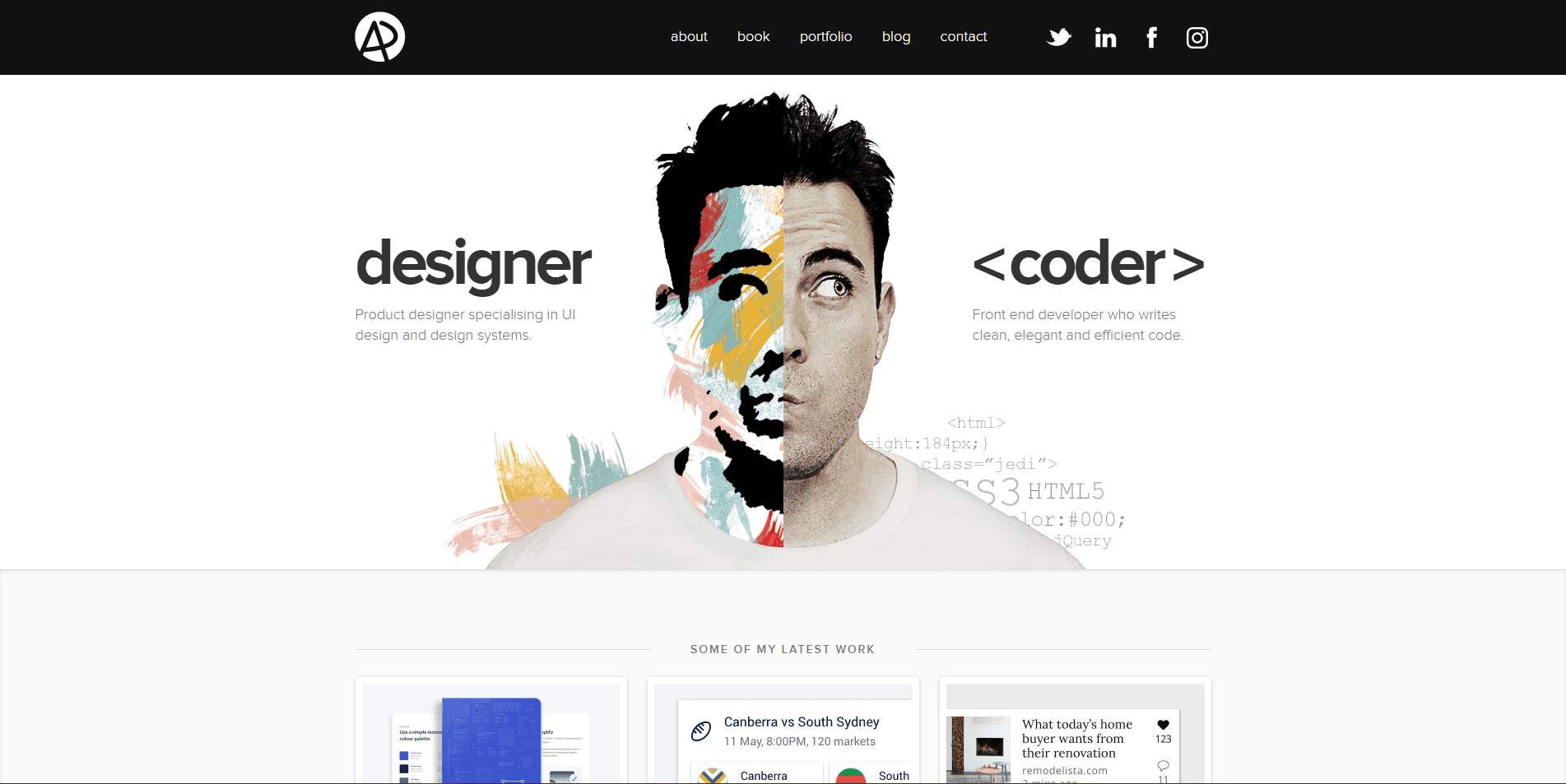
As designers, we’re often tempted to show off our skills in the most extravagant ways possible. After all, a portfolio is meant to impress, right? But in our efforts to stand out, we sometimes forget that our primary audience is often not designers but potential clients and recruiters. These people, unfamiliar with the technicalities of design, are seeking clarity, not confusion. I’ve come across some incredible portfolios, but many go overboard with unnecessary interactions, animations, and complex layouts that make users lose interest fast.
In this article, I want to explore the idea that simplicity, usability, and accessibility should always come first. I’ll dive into what makes an effective portfolio, critiquing common pitfalls and showcasing portfolios that successfully balance creativity with usability.
Simplicity and User Experience
One of the first aspects to consider when designing a portfolio is simplicity. Visitors to your portfolio should have a smooth, seamless experience where they can find what they’re looking for without any unnecessary distractions. A portfolio that does this well is that of Tobias van Schneider. https://www.vanschneider.com/
Tobias’s homepage is a masterclass in minimalism, with large visuals that showcase his projects front and centre. His site is not overwhelmed with animations or complex interactions. Instead, it’s intuitive, guiding the user naturally from one project to another. The user experience (UX) is impeccable: you immediately understand where to go and what to look at.
Practicality and Accessibility
Olaolu Olawuyi’s portfolio — https://olaolu.dev/ stands out as a prime example of how to balance creativity with practicality. From the moment you land on his site, the simplicity and clarity of the design guide you through the content effortlessly. The navigation is intuitive, and the layout is structured in a way that allows you to easily find key information without feeling overwhelmed by excessive animations or interactions. Olaolu’s use of whitespace and clean typography also contributes to the overall accessibility of the site, making it user-friendly and visually appealing.
One of the most notable aspects of his portfolio is its responsiveness. Whether viewed on a mobile device or desktop, the site maintains its functionality and design integrity, a crucial factor in today’s mobile-first world. The content adapts seamlessly to different screen sizes, ensuring that all users, regardless of their device, can enjoy a smooth experience. Olaolu’s portfolio highlights how designers can create visually appealing, user-centred portfolios that prioritise accessibility and practicality over flashy, unnecessary elements.
Takeaway: Accessibility should always be a priority. Make sure that your portfolio is easy to navigate for users with different needs. Avoid overly complex designs that can alienate visitors with attention deficits or disabilities.
Effective Visual Hierarchy
Visual hierarchy is one of the most crucial elements of good design, and it’s especially important in portfolios. Visitors should know exactly where to look first and be guided through your site in a logical manner. The portfolio of Anton & Irene — https://antonandirene.com/ is an excellent example of this principle in action.
Their site uses bold visuals and clear headings to create a strong visual hierarchy. Each section is easily digestible, with large, impactful images that draw the viewer in, while the accompanying text explains their work in a concise manner. Despite being a visually rich portfolio, it never feels overwhelming because the hierarchy is so well thought out.
Minimalism Meets Functionality
A portfolio that strips things back to basics, while still maintaining functionality, is Tim Roussilhe’s — https://timroussilhe.com/
His portfolio showcases a minimalist design that doesn’t compromise on the essential features. The simplicity of his site allows for fast navigation and ensures that visitors can focus on his work without distractions. The use of white space and well-chosen typography enhances the overall experience, ensuring that users can browse through his projects effortlessly.
Takeaway: Minimalism doesn’t mean your site has to be dull. By using white space, thoughtful typography, and clear structure, you can create a functional yet aesthetically pleasing portfolio.
My Concluding Take
The portfolios I’ve mentioned above serve as great examples of how to balance creativity, usability, and simplicity. When designing your own portfolio, it’s crucial to keep the user’s experience in mind. After all, the goal is to showcase your work in a way that’s memorable but also accessible. A beautifully designed site means little if users can’t easily navigate it or find the information they’re looking for.Remember that the majority of your audience may not be designers; they’re often potential clients or employers looking for a quick, clear understanding of your work. Keep it simple, keep it accessible, and use interactive elements wisely.Thanks for reading!Stay tuned for part two, where we’ll dive deeper into best practices for building an impressive yet functional portfolio, and explore more stunning examples.
References - Adham Dannaway — https://adhamdannaway.com/ Tobias van Schneider — https://www.vanschneider.com/ mkipper.com (via Semplice) — https://mkipper.com/ Olaolu Olawuyi — https://olaolu.dev/ Tim Roussilhe — https://timroussilhe.com/ Spatzek Studio — https://www.spatzek.studio/ Anton & Irene — https://antonandirene.com/